 Sedans
























How to use your Lexus Navigation

Navigating the Roads with Confidence: A Comprehensive Guide to Your Lexus Navigation System
Your Lexus represents more than just a means of transportation; it embodies a meticulously engineered apparatus crafted to deliver an outstanding driving experience. Performance Lexus is dedicated to assisting you in optimizing this experience.
Integral to the overall driving encounter is the advanced navigation system, seamlessly incorporated into the Lexus infotainment system. Whether you are a seasoned Lexus enthusiast or a newcomer to the brand, mastering the intricacies of your navigation system is paramount for navigating roads with unparalleled ease and confidence.
Understanding the Navigation Interface
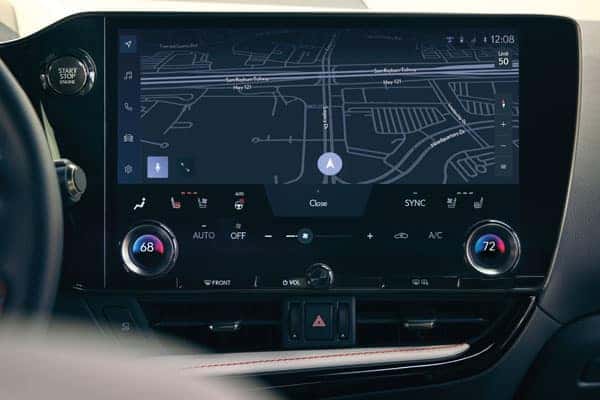
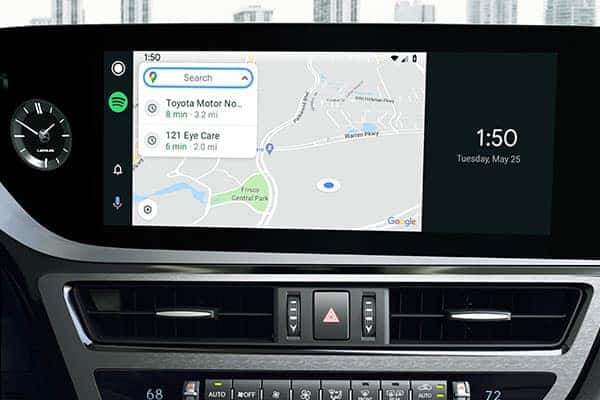
Your Lexus navigation system is designed to be intuitive and user-friendly, with a clear interface and well-organized menus. The main navigation screen displays a map of your current location and surrounding area. You can zoom in and out to adjust the map scale and view more details.
Along the bottom of the screen, you’ll find a menu bar with various navigation options, including:
- Destination Input: Enter your desired destination using various methods, such as address, point of interest (POI), or voice command.
- Route Planning: Plan your route with multiple stops, real-time traffic updates, and preferred routes.
- Map Settings: Customize your map display, including map type, layers, and night mode.
- Navigation Settings: Adjust navigation preferences, such as voice guidance volume and route optimization.
Entering Your Destination
There are several ways to input your destination into your Lexus navigation system:
- Solar Octane
- Electric Lime
- Lunar Rock
- Barcelona Red Metallic
- Ice Cap
Planning Your Route
Once you’ve entered your destination, you can plan your route with various options:
- Single Destination Route: Plan the shortest or fastest route to your destination.
- Multi-Stop Route: Add multiple stops along your route, optimizing the order for efficient travel.
- Real-Time Traffic Updates: Consider real-time traffic conditions to avoid congestion and delays.
- Preferred Routes: Set preferred routes for frequently visited destinations or specific road types.
Customizing Your Map Display
The map display can be customized to your preference:
- Map Type: Choose between 2D, 3D, or North-Up orientation.
- Map Layers: Add or remove map layers, such as traffic, weather, or fuel stations.
- Night Mode: Switch to night mode for enhanced visibility during low-light conditions.
Adjusting Navigation Settings
Personalize your navigation experience:
- Voice Guidance Volume: Adjust the volume of voice prompts and instructions.
- Route Optimization: Choose between shortest, fastest, or eco-friendly route options.
- Arrival Notifications: Receive notifications when approaching your destination or POI.
Additional Navigation Tips
- Voice Command Usage: Utilize voice commands for hands-free operation while driving.
- Favorites and Recent Destinations: Save frequently visited locations as favorites for quick access.
- Route History Review: Review past routes to retrace your steps or plan similar trips.
- Software Updates: Keep your navigation system up to date with the latest software updates for optimal performance.
Verdict
By mastering your Lexus navigation system, you’ll not only enhance your driving experience but also make the most of your Lexus’s advanced technology. Embrace the convenience and confidence that comes with navigating the roads with your Lexus as your trusted guide.
To learn more about your Lexus navigation reach out to our team of professionals at Performance Lexus or stop in.
Directions – Performance Lexus 4328 Kings Water Dr, Cincinnati, OH 45249
0 comment(s) so far on How to use your Lexus Navigation